Design Patterns to Follow in Kotlin
A Guide to Better Code
Builder Pattern in Kotlin
Kotlin is a modern, statically typed programming language that was designed to improve upon Java. It has a clean syntax, supports functional programming, and provides many features that make it easier to write high-quality, maintainable code. In this blog, we will explore some of the most important design patterns that should be followed in Kotlin to write better code.
Null Safety
One of the most significant problems with Java is the prevalence of NullPointerExceptions. To address this issue, Kotlin introduces null safety, which prevents null references from being assigned to variables by default.
1
2
val name: String = "John Doe"
val age: Int = 25
In the example above, name and age are non-nullable variables. If you try to assign null to them, the compiler will give an error. If you want to allow null values, you can use the ? operator.
1
2
val name: String? = null
val age: Int? = null
Extension Functions
Kotlin provides the ability to extend a class with additional functions without having to inherit from it. This is achieved through extension functions.
1
2
3
4
5
6
fun String.upperCaseFirstLetter(): String {
    return this.substring(0, 1).toUpperCase() + this.substring(1)
}

// Usage:
println("hello".upperCaseFirstLetter()) // Hello
Singleton
A singleton is a design pattern that restricts a class to have only one instance and provides a global point of access to it. In Kotlin, this can be achieved using the object keyword.
1
2
3
4
5
6
7
8
9
object Singleton {
    val name = "Singleton"
    fun printName() {
        println(name)
    }
}

// Usage:
Singleton.printName() // Singleton
Builder
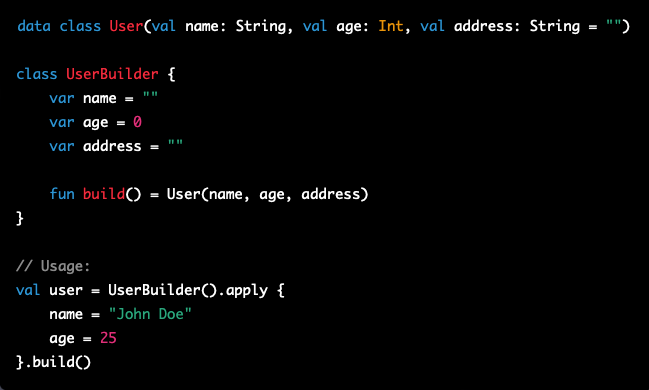
The builder pattern is a creational design pattern that allows for a flexible way to construct complex objects. In Kotlin, the builder pattern can be achieved through the use of secondary constructors and default values.
1
2
3
4
5
6
7
8
9
10
11
12
13
14
15
data class User(val name: String, val age: Int, val address: String = "")

class UserBuilder {
    var name = ""
    var age = 0
    var address = ""

    fun build() = User(name, age, address)
}

// Usage:
val user = UserBuilder().apply {
    name = "John Doe"
    age = 25
}.build()
In conclusion, these design patterns are just a few of the many techniques that can be used to write better code in Kotlin. By embracing these patterns and following best practices, you can write code that is more concise, readable, and maintainable.
Happy Coding!!